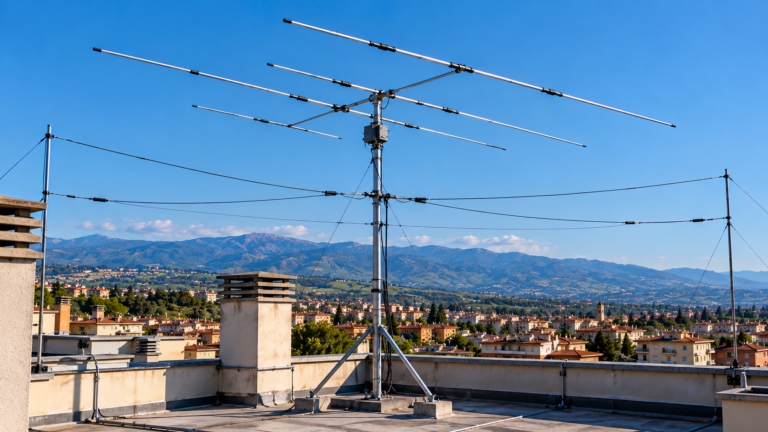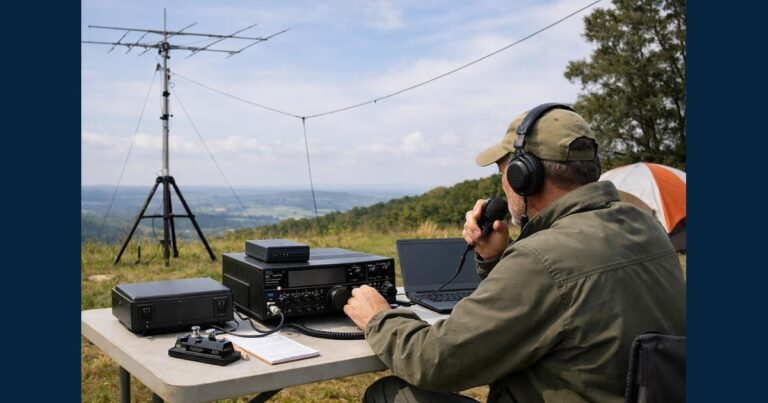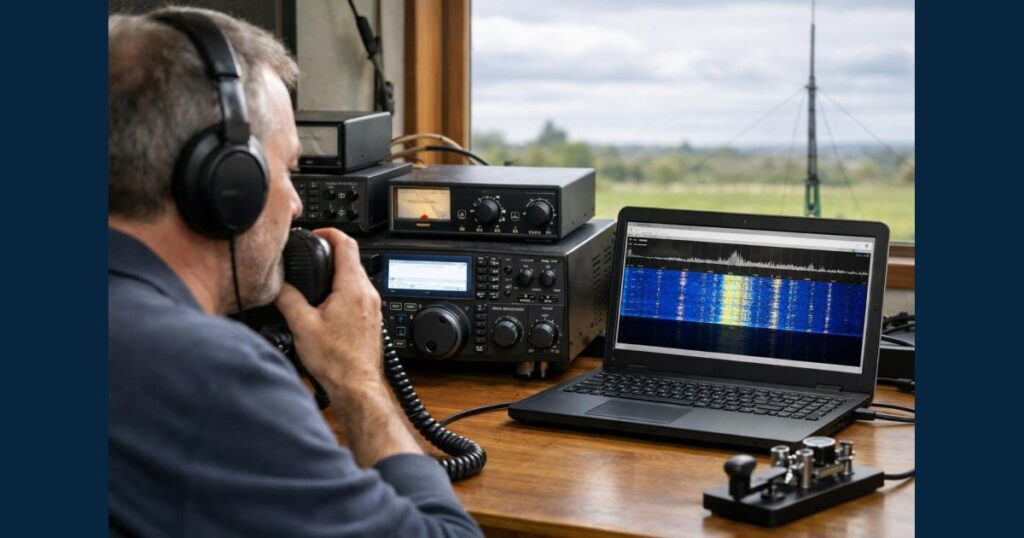
A WebSDR A radio receiver you can use for free over the internet, right in your browser. signal test lets you check whether a remote listener can hear your transmission. Transmit from your station and listen on a WebSDR that covers the band A group of nearby frequencies used for the same purpose, like a lane on a motorway. you are using and is in a useful location. A negative result at one receiver The device that “listens” to radio signals. does not prove that your station is not transmitting.
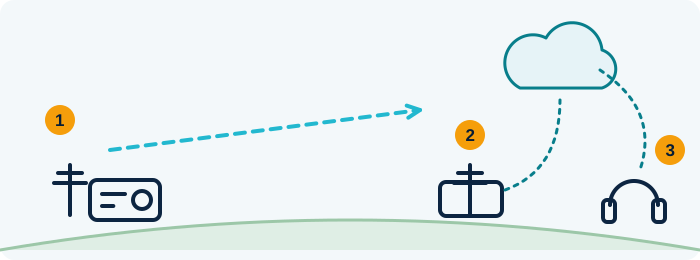
- You transmit with your radio
- A distant receiver connected to the Internet picks up your signal
- You listen in the browser, as a distant station hears it
Teaching illustration created by RadioMeteo.
A WebSDR receives radio signals and makes them available to listen to over the Internet. It does not transmit on your behalf. The test compares what you send with what a remote receiver can pick up at that moment.
Before transmitting: authorization and frequency
In Italy, amateur radio activity requires general authorization to install and operate a station. Before testing, check that the band A group of nearby frequencies used for the same purpose, like a lane on a motorway. and frequency The “channel” a station transmits on. are available for your service and that the mode you choose complies with the applicable operating conditions. The MIMIT documentation lists the relevant regulations and bands.
Also check that the frequency is not already in use and that your transmission will not interfere with another communication. A short, identified test is more useful than leaving a carrier The basic radio wave that the information rides on. on for a long time: it occupies the channel for less time and gives you a specific interval to compare with the remote receiver The device that “listens” to radio signals.. Follow the rules that apply to your station and the mode you are using.
Decide in advance what you want to check. A voice test can help you determine whether the modulation The way voice or data is “loaded” onto the radio wave. is being received. With a digital mode, you may want to look for the signal on the waterfall A scrolling chart that shows signals as coloured stripes over time. or check whether it decodes. The result depends on what the WebSDR A radio receiver you can use for free over the internet, right in your browser. lets you hear and which tools are available to interpret the audio.
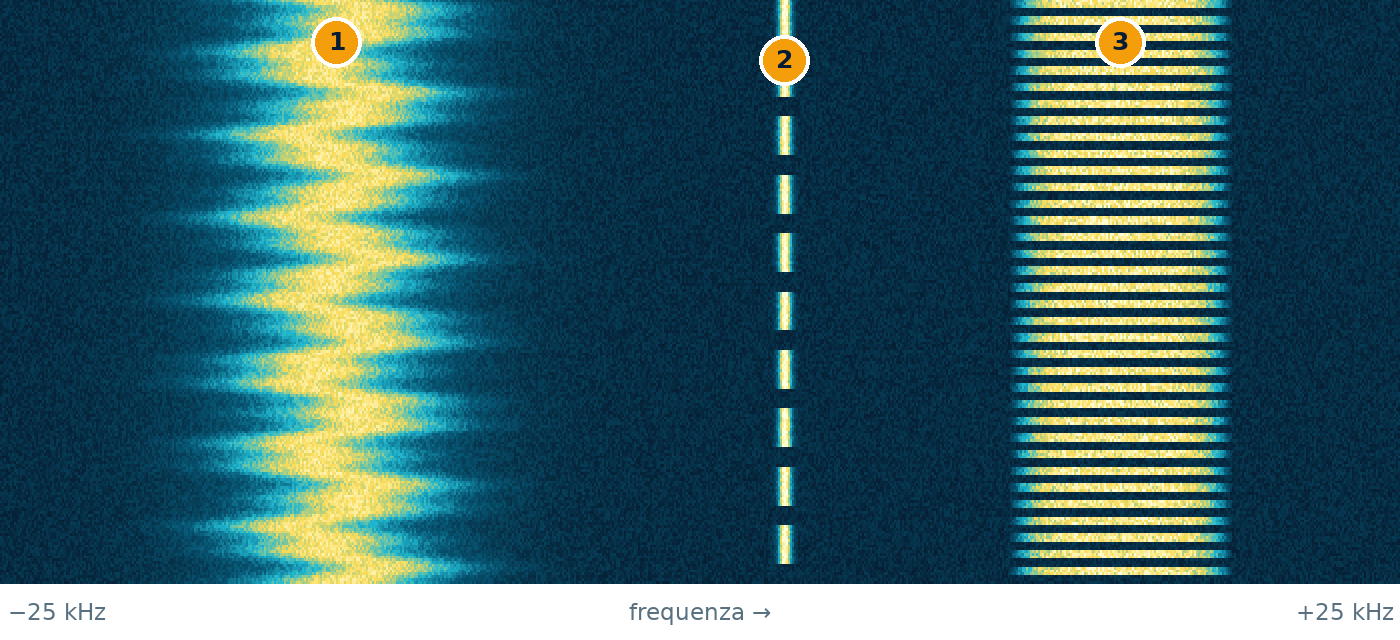
time ↓ · frequency →
- FM voice: a solid stripe that changes while someone talks
- Carrier: a thin, steady line: a signal that never changes
- Digital signal: short packets, so it looks dashed
Teaching illustration created by RadioMeteo, not a real recording.
Choosing a WebSDR for the test
Don’t just open the first receiver The device that “listens” to radio signals. you find. First, check that it covers the band A group of nearby frequencies used for the same purpose, like a lane on a motorway. and part of the spectrum The “map” of frequencies, where each signal shows up as a line or a small hill. where you plan to transmit. A WebSDR A radio receiver you can use for free over the internet, right in your browser. may make only part of its received spectrum available to users. If your frequency The “channel” a station transmits on. falls outside its tuning range, the test cannot work on that receiver, even if your station is transmitting.
Location matters too. If possible, choose a receiver in an area where your signal might reach. Distance alone does not predict reception; the radio path and conditions between the two stations also matter. It can therefore be useful to check several receivers in different areas, as long as each one covers the band and frequency you are testing.
You can browse the available WebSDR receivers and check the information listed for each location. Before transmitting, open the receiver and make sure it is accessible and usable. If the page does not cover the frequency you need, choose another receiver rather than changing your transmission to suit an unsuitable remote setup.
Choose a receiver that matches the question you want to answer. If you want to know whether your signal reaches a particular area, a receiver there is more relevant than one much farther away or in a different direction. If you only want to check whether the signal is received somewhere, comparing several locations can give you a broader picture, though it still won’t fully measure your station.
Tuning the receiver and making a short test
Once you have chosen a WebSDR A radio receiver you can use for free over the internet, right in your browser., tune it to the same frequency The “channel” a station transmits on. as your station and select a receive mode compatible with the one you are transmitting. Controls and features vary between receivers, so follow the instructions on the page rather than assuming every WebSDR has the same interface.
Make sure the remote receiver The device that “listens” to radio signals. is actually displaying or playing the expected part of the band A group of nearby frequencies used for the same purpose, like a lane on a motorway.. Compare the time of your test with the online audio or display.
Transmit long enough for the test to be recognizable, then stop and listen again. For a voice call, check whether the signal is present and intelligible. For a digital transmission, look for a trace at the corresponding point on the waterfall A scrolling chart that shows signals as coloured stripes over time.. Decoding it may require a separate program that takes audio from the WebSDR; not all online receivers include digital-mode decoding.
To make the test repeatable, note the band, frequency, mode, approximate time and WebSDR you used. If you change several factors at once, it will be hard to tell why the signal appeared or disappeared. Change one variable at a time—for example, try a different remote receiver—and compare the results using the same transmission or tests conducted under similar conditions.
Interpreting a missing, weak or distorted signal
If you cannot find the signal, first check the basics: does the WebSDR A radio receiver you can use for free over the internet, right in your browser. cover the frequency The “channel” a station transmits on.? Does its receive mode match the one you transmitted? Are you looking at the right time? A mismatch in any of these can make the test ineffective without saying anything about whether your station is actually transmitting.
If those checks are all clear, consider the receiver The device that “listens” to radio signals.’s location and the radio path. A signal may reach one location but not another. The remote receiver is also affected by local noise and the reception conditions at its site. An antenna that is poorly suited to the band A group of nearby frequencies used for the same purpose, like a lane on a motorway. or a noisy environment can make a weak signal harder to hear.
If the signal is present but hard to distinguish, compare what you hear with what you know you transmitted. For voice, distinguish between the mere presence of signal energy and intelligible modulation The way voice or data is “loaded” onto the radio wave.. With digital modes, a trace on the waterfall does not guarantee a successful decode; you may need the right audio and a compatible external program. A visible signal that does not decode is not automatically evidence that no transmission took place.
If the reception sounds distorted, the WebSDR can help you notice a listening problem, but it cannot identify the cause on its own. The remote receiver’s characteristics, noise and radio-path conditions all affect what you hear. Repeat the test with another suitable WebSDR before blaming the transmitter or antenna.
What the test shows and what it does not measure
Hearing your signal on a WebSDR confirms that the receiver picked up something on the frequency you were monitoring at that moment. It is a practical way to check for a transmission or compare reception at different locations. It does not certify that your station complies with every requirement, or that the link will work in every direction or under all conditions.
Remote listening does not measure actual output power, antenna matching or SWR. Those require appropriate checks and instruments, separate from online listening. Likewise, a clear signal on one WebSDR does not prove that the transmission will have the same quality at other locations with different antennas and reception conditions.
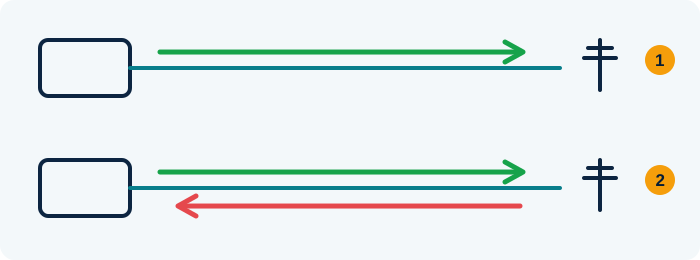
- Well-tuned antenna: almost all the energy goes out into the air
- Badly tuned antenna: part of the energy bounces back to the radio (high SWR)
An SWR meter measures how much comes back: the closer to 1:1, the better.
Teaching illustration created by RadioMeteo.
Failure to hear your signal on a single WebSDR does not prove that your radio is not transmitting. Before changing settings or working on the antenna, rule out a frequency or mode mismatch and, if possible, try another receiver covering the same band. If you are unsure about the radio’s output or antenna system, use specific tests: a WebSDR answers the question “does my signal reach here?”, not every question about your station.
The test is most informative when the question is specific, the receiver is chosen carefully and the transmission is short and easy to compare. Online reception gives you a listening point separate from your station. Interpret it for what it is, not as a substitute for technical measurements or the checks required for your installation.