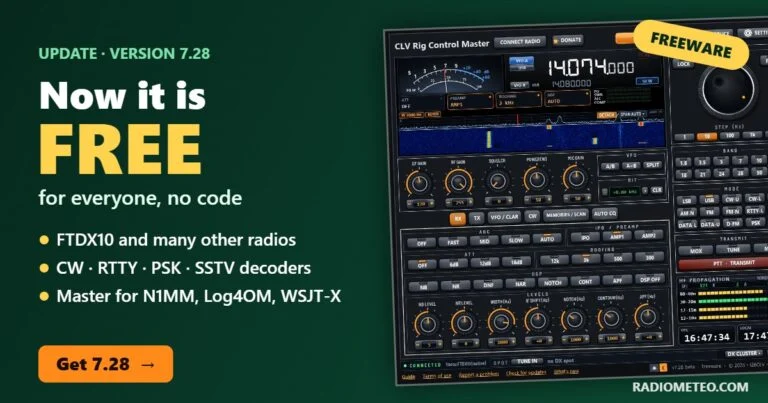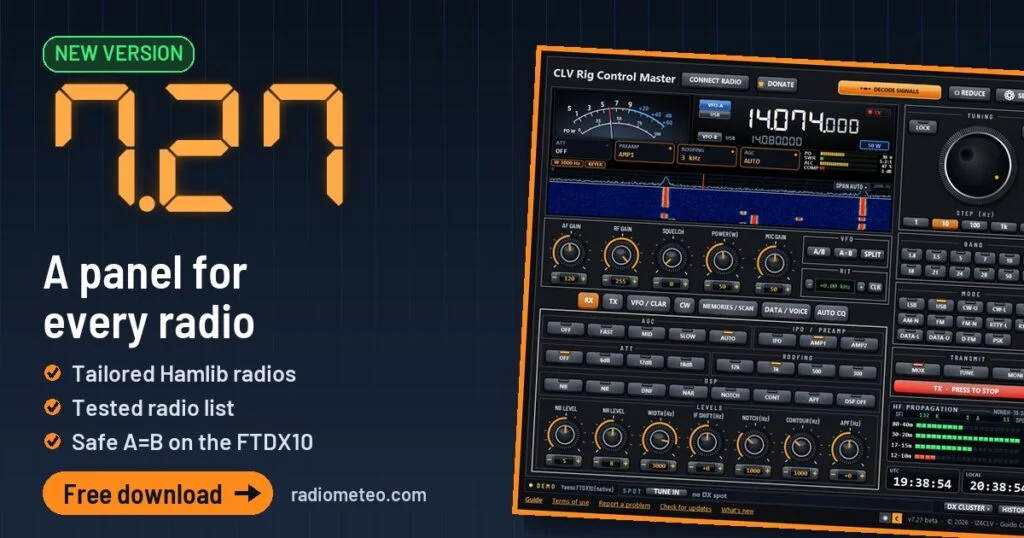
CLV Rig Control Master 7.27 is out: the free-to-try program that controls your radio from the PC (CAT The link that lets a computer control the radio. control). This version mainly changes the Hamlib radios: the panel is now built for your radio, with the controls it really has. No more grey keys that do nothing.
On this page
CLV Rig Control Master 7.27 is out: the free-to-try program that controls your radio from the PC (CAT control).
What is new in 7.27
Here is what you get with this week’s CLV Rig Control update. In CLV Rig Control Master 7.27 there are five things you notice as soon as you open the program.
- Hamlib radios: a panel built for each radio, with VFO-B, PROC and the SIGNAL and POWER boxes on the display.
- Radio list: 313 models, each with its real status (tested, to be checked, not tested).
- Yaesu FTDX10: A=B copies frequency The “channel” a station transmits on. and mode even when the radio does not do it by itself.
- AUTO CQ: the old REPEAT tab, redone with keys and a single START button.
- DONATE: any amount (OTHER), payment with PayPal or a card; the code arrives by email.
The English PDF guide is updated too, with the new screenshots.
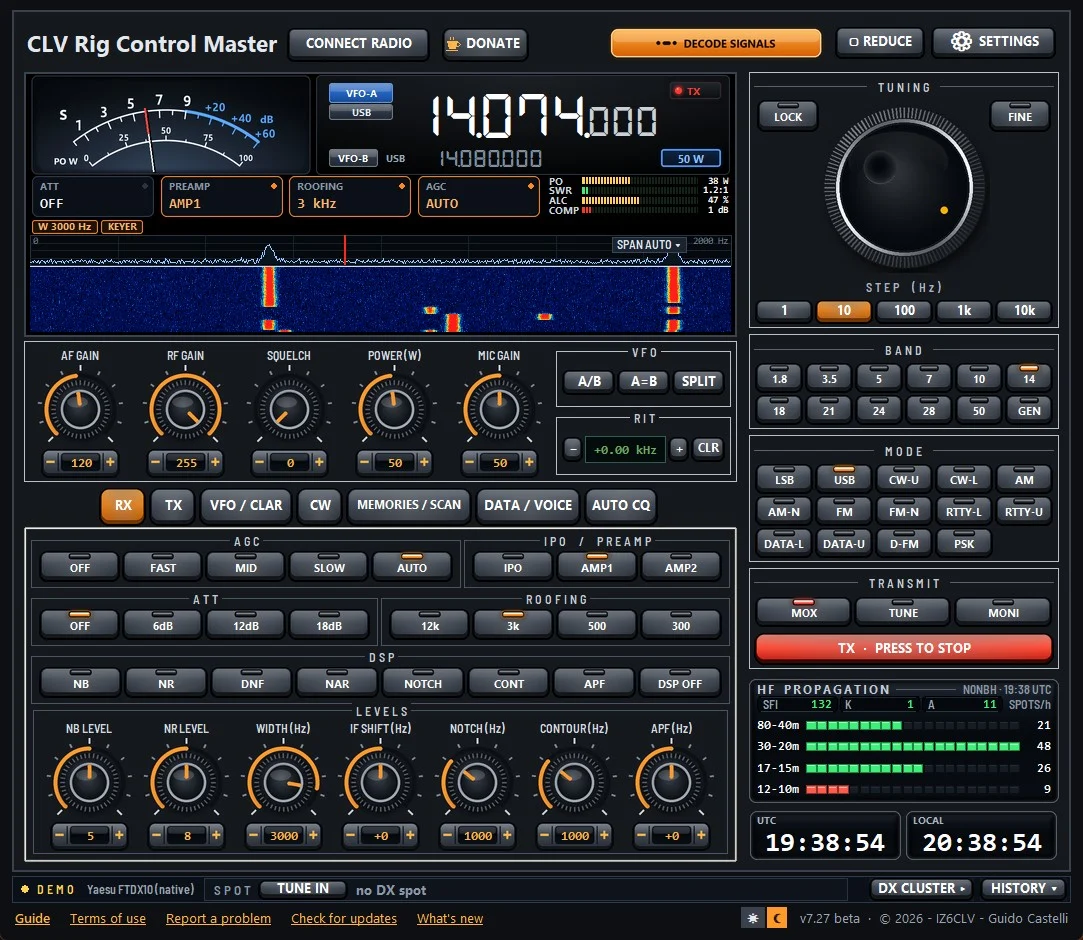
A panel for every Hamlib radio
With radios other than the FTDX10, CLV uses Hamlib, the free library that knows hundreds of models. Before, the panel was the FTDX10 one, with many keys switched off. In 7.27 CLV asks Hamlib what your radio can do and shows only those controls.
Tabs with few controls are joined (for example TX · FUNCTIONS), the extra controls go to the MORE FUNCTIONS tab and FINE is done by CLV: the dial turns in steps ten times finer. It is like going from one size fits all to a tailored suit.
💡 Practical tip
After the update open Settings → Rig and port and press TEST CONNECTION: in a few seconds you see whether the radio answers, before saving.
What stays the same: the native FTDX10, the decoder, the CLV-SSTV window, the DX A contact with a very distant station. cluster and the link with WSJT-X, Log4OM and N1MM work as in 7.26. Licence, settings and folders do not change: you update without losing anything, including the audio profiles and the memories saved on the PC.
Which radios are tested
I do not write «it works with every radio», because it would not be true. 5 radios are tested on the real radio, 47 with the Hamlib simulator and 9 are still to be checked. For the others CLV is configured for the model, but correct operation is not tested yet.
The full list, brand by brand, is in the CLV Rig Control Master article, in the «Which radios it works with» section. There you also find what to send me if your radio misbehaves.
📌 Real case
With the IC-7200 the old panel showed the CLARIFIER, but this radio has no RIT that Hamlib can control. In CLV Rig Control Master 7.27 that box is gone: you only see what the radio can really do.
How to update
- Notice. If you have 7.26, at start-up CLV tells you 7.27 is out: press UPDATE NOW.
- Download. Or download the zip from the Downloads page.
- Install over it. Run CLVRigControl_v7.27_Setup.exe of CLV Rig Control Master 7.27 without uninstalling: licence and settings stay.
- Check. At the bottom right you should see «v7.27 beta».
⬇️ Download CLV Rig Control Master 7.27 · Windows 10 and 11, 64-bit · free 30-day trial.
The new features in practice
A=B on the Yaesu FTDX10
With A=B you copy VFO-A into VFO-B, frequency The “channel” a station transmits on. and mode. Sometimes the FTDX10 ignores the AB command and VFO-B stays as it was: it happened mostly when changing band A group of nearby frequencies used for the same purpose, like a lane on a motorway. quickly. Now CLV checks right after and, if the radio did not copy, it writes frequency and mode into VFO-B itself. In the HISTORY you find a line telling you what happened.
AUTO CQ in CLV Rig Control Master 7.27
- Message. Pick the type with the keys: CW Morse code sent by radio. TEXT, CW KEY, RTTY Radioteletype: text messages by radio with a distinctive sound., DATA or VOICE, and the number from 1 to 5.
- How many times. Set the repeats (0 = forever) and the pause between sends, the time to hear who answers.
- Check. The «Text to be sent» box shows what goes on the air, before transmitting.
- Start. Press START; to stop use STOP, Esc or the PTT The push-to-talk button you press to transmit.. In CW keep BK-IN on.
The DONATE window
Besides the 5 € and 10 € keys there is OTHER, to write any amount. The PayPal page accepts your PayPal account or a card. After the payment a box tells you in three steps what to do: the activation code arrives by email within a few minutes, you paste it into «Activation code» and the licence is valid on 3 computers. If the email does not arrive, the «Recover the CLV code» link opens the right page of the website.
The PDF guide
The guide is inside the program (Guide link, at the bottom) and can also be downloaded from the website, in English and Italian. In 7.27 I redid the pages that had changed: the Hamlib radios chapter, the control tabs with the new knobs, AUTO CQ, the common problems with what to attach when you ask for help, and the DONATE window.
Frequently asked questions
Do I have to uninstall 7.26?
No. You install CLV Rig Control Master 7.27 over the version you have: the installer closes CLV if it is open and keeps licence, settings, log and memories. No administrator password is needed, because CLV installs only for your user.
My radio is not in the tested list: can I use it?
Yes. If it is one of the 313 Hamlib radios, choose the model in Settings → Rig and port and run TEST CONNECTION. If something is wrong, send me a report: that is exactly how radios move to the tested list.
How much does it cost?
You can try it free for 30 days, with the full decoder for the first 14. With a donation of any amount you receive the perpetual licence, valid on 3 computers, also for the versions to come.
Summary
CLV Rig Control Master 7.27 brings a tailored panel for Hamlib radios, an honest list of tested radios, a safe A=B on the FTDX10, AUTO CQ and donations with any amount. Is your radio on the to-be-checked list? Write to me with «Report a problem» and become a beta tester.
Further reading
RadioMeteo newsletter
News from RadioMeteo and the CLV programs by e-mail. You can unsubscribe at any time.
Protected by reCAPTCHA: Google Privacy Policy and Terms apply.